
Fix Clean My Speaker Online – How to Clean & Fix Phone Speakers
Accidentally dropping your smartphone into water, getting caught in rain, or setting your device in a humid bathroom can cause water droplets to become trapped inside the micro-speaker cavities. Even on water-resistant phones, moisture creates surface tension across the speaker mesh, muffling your audio and making music, calls, and videos sound distant or crackly.
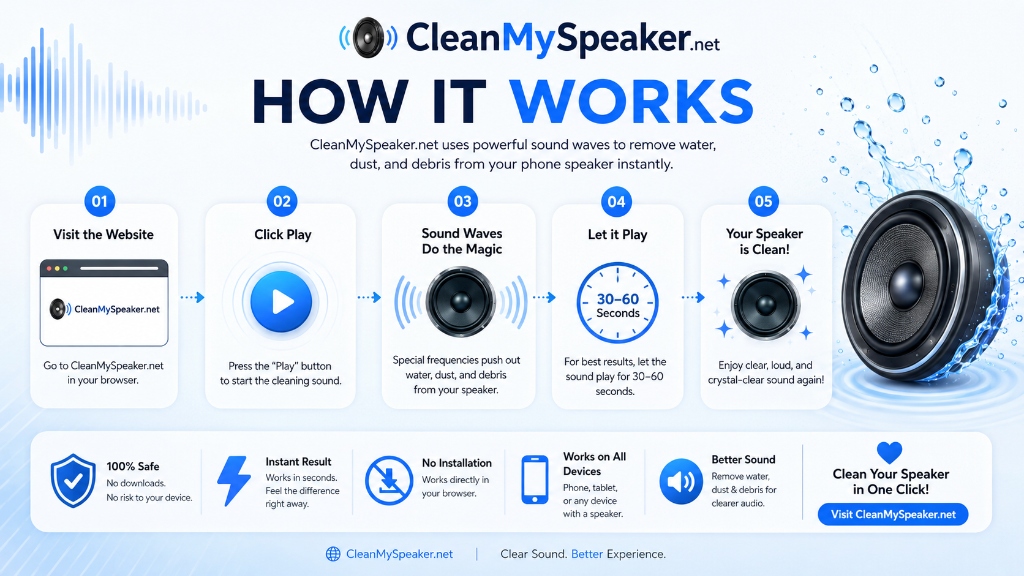
The Clean My Speaker online sound utility allows you to clean my speaker, fix my speaker, and fix clean my speaker sound directly from your mobile browser. Instead of dangerous rice or sharp needles that can puncture delicate diaphragms, our tool uses 165 Hz sound waves to vibrate out moisture and clear dust in seconds.
How Does Clean My Speaker Work? The Science of Water Ejection
Every smartphone speaker relies on a tiny, flexible diaphragm (or cone) that vibrates back and forth when driven by an electromagnetic coil. When you play normal speech or music, these vibrations are complex, high-frequency, and irregular.
In contrast, Clean My Speaker synthesizes pure low-frequency sine and sawtooth tones centered around 165 Hz. At this specific frequency range:
- Maximum Diaphragm Excursion: The speaker membrane moves forward and backward at its maximum physical amplitude without distortion.
- Acoustic Air Displacement: The rapid mechanical motion builds positive air pressure inside the acoustic cavity behind the grille.
- Surface Tension Disruption: Trapped liquid beads that cling to the hydrophobic mesh are physically pushed out through the speaker holes, where you can easily dab them away with a soft towel.
Want to learn more about the audio physics behind this process? Read our detailed How It Works guide.
How to Fix Clean My Speaker: Step-by-Step Instructions
Wipe External Moisture
Take your phone out of its protective case. Use a dry, lint-free microfiber cloth to thoroughly dry the exterior of the chassis, charging port, and speaker grilles.
Set Volume to 100%
Ensure your device media volume is set to maximum. The physical excursion of the speaker diaphragm directly correlates to the volume level.
Position Speaker Downward
Hold your device vertically so the affected speaker (earpiece at top or bottom loudspeaker) faces downward. Lay a paper towel or cloth directly beneath it. Gravity assists the sound waves.
Trigger Clean My Speaker
Tap CLEAN MY SPEAKER above. Let the 30-second or 45-second cycle run completely. Wipe away droplets as they emerge, then verify audio clarity with our Speaker Test.
How to Remove Water From a Phone Speaker: Crucial Do's and Don'ts
✅ What You SHOULD Do
- Disconnect all charging cables and headphones immediately.
- Gently tap the phone against your palm with the speaker facing downward.
- Run low-frequency sound cleaner tones to expel moisture.
- Allow the phone to air-dry in an area with good cross-ventilation.
- Use silica gel packets in an airtight container for passive dehumidification.
❌ What You Must NEVER Do
- Never insert toothpicks, needles, pins, or cotton swabs into the speaker ports.
- Never put your phone in uncooked rice (rice dust and starch clog openings).
- Never use a hot blow dryer or radiator (melts adhesive seals).
- Never charge the phone while moisture might still be in ports.
- Never shake the phone violently (drives liquid deeper into internal electronics).
For detailed guidance on water immersion, read our complete guide: How to Remove Water From a Phone Speaker.
Fix Clean My Speaker for iPhone
Modern iPhones feature stereo audio with an earpiece receiver speaker and bottom speaker grilles. Water frequently muffles the microphone and speaker cavities after swimming or showers.
Works in Mobile Safari without downloading shortcuts or apps. View iPhone Guide →
AirPods Water Eject Sound (165Hz)
Dropped your AirPods or AirPods Pro in water? Play calibrated 165 Hz sound waves with left/right earbud isolation to safely eject moisture without damaging the micro-mesh.
Safe acoustic ejection without rice or heat. Eject AirPods Water →
Fix Clean My Speaker for Android
From Samsung Galaxy S24 and Pixel 8 to Xiaomi and OnePlus, Android hardware features varied speaker grille sizes and chambers. Our sweeps ensure compatibility across all designs.
Compatible with Chrome, Samsung Internet, and Firefox. View Android Guide →
Does Clean My Speaker Really Work? An Honest Assessment
Yes, for surface moisture trapped within the external speaker mesh, sound waves are genuinely effective. Apple even utilizes this identical acoustic principle in the Apple Watch “Water Lock” feature, which plays a distinct low-frequency tone burst to push water out of the speaker cavity after swimming.
However, it is critical to be realistic about physical limitations:
• What it CAN do: Vibrate surface liquid beads so gravity can clear them; clear mild dust accumulation; loosen trapped debris on external acoustic mesh.
• What it CANNOT do: It cannot fix corroded motherboards, undo short-circuits, dry deep battery compartments, or repair hardware that suffered long-term liquid immersion.
Why Does My Phone Speaker Sound Muffled? Common Causes
1. Water Surface Tension
Water creates a thin liquid film across micro-holes in the speaker mesh. This barrier blocks acoustic pressure waves from transmitting into the surrounding air, producing a dull, quiet, underwater sound.
2. Compact Pocket Lint & Debris
Carrying your phone in pants pockets over months forces fibers, lint, and sweat into the speaker ports, forming an acoustic plug. For physical cleaning instructions, check our Speaker Cleaning & Dust Guide.
3. Software Volume or Equalizer Bugs
Occasionally, Bluetooth connections (such as hidden wireless earbuds in another room) or accessibility balance settings can reduce volume. Always verify Bluetooth is disconnected before assuming hardware failure.
Benefits of Using Clean My Speaker to Fix Your Phone Speaker
Fix muffled audio, boost volume, and clean your phone speaker in one click with our browser sound tool.
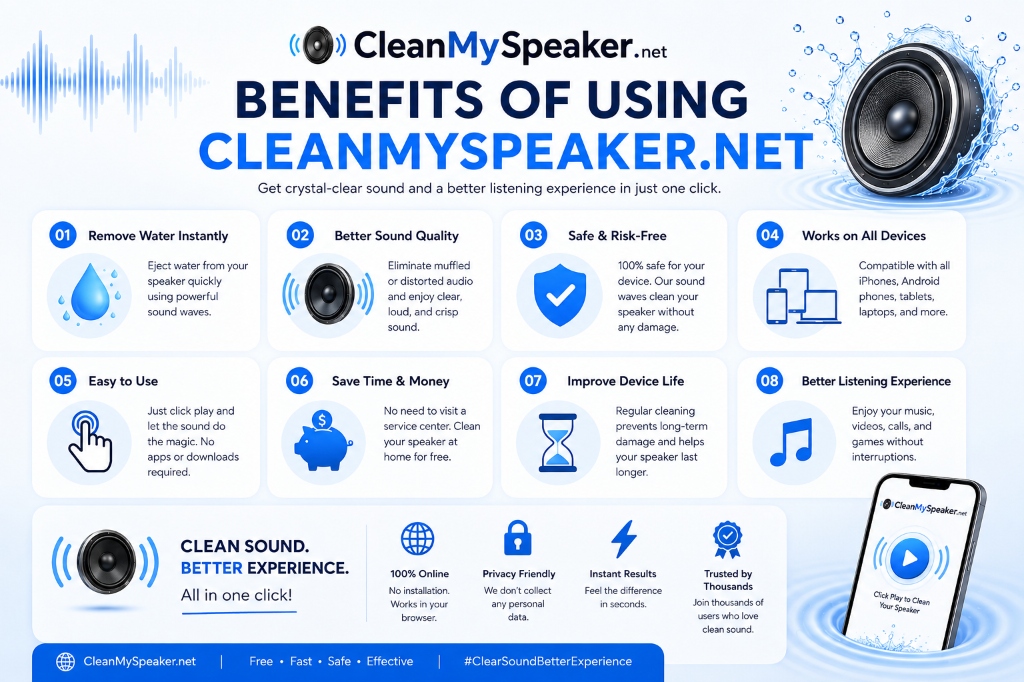
Remove Water Instantly
Eject water from your phone speaker quickly using calibrated, powerful 165 Hz sound waves.
Better Sound Quality
Eliminate muffled, dull, or distorted audio and enjoy clear, loud, and crisp sound reproduction.
Safe & Risk-Free
100% safe for your device. Sound vibrations clean the acoustic mesh without sharp tools or risk of puncturing.
Works on All Devices
Fully compatible with Apple iPhone, iPad, Android smartphones, tablets, smartwatches, and laptops.
Easy to Use
Just tap play and let the sound do the magic. No app downloads, accounts, or configurations required.
Save Time & Money
No need to pay expensive repair shop service fees. Clean your speaker right at home for free.
Improve Device Life
Regular acoustic maintenance prevents grime buildup and protects your speaker diaphragm long-term.
Better Listening
Enjoy music, videos, phone calls, podcasts, and gaming without annoying crackles or low volume.
Explore All Free Audio Tools & Speaker Utilities
Looking for more acoustic utilities? Explore our complete collection in the Audio Tools Hub, featuring the 165 Hz Water Ejector, Stereo Sound Channel Tester, Frequency Diaphragm Sweepers, and dedicated iPhone/Android cleaners.
Need to Test Your Speaker Health?
Check left/right stereo channels, test high and low frequency tones, and diagnose distortion with our online diagnostic tool.
About Clean My Speaker & Client-Side Privacy
Clean My Speaker was engineered to provide smartphone owners with an open, safe, and 100% in-browser acoustic repair tool. All sound waves are synthesized purely inside your browser using the native HTML5 Web Audio API—meaning zero microphone access, zero audio uploads, and zero tracking cookies.
Learn more about our mission and acoustic research on our About Clean My Speaker page, review our complete data transparency standards in our Privacy Policy, or explore our full collection of sound utilities in the Audio Tools Suite.
Frequently Asked Questions About How to Clean & Fix My Speaker
Clear, practical answers about how to fix clean my speaker, phone water eject sounds, and speaker maintenance.
To fix clean my speaker online, turn your phone media volume up to 100%, point the speaker grilles downward toward a dry microfiber cloth, and click "CLEAN MY SPEAKER". Let the 165 Hz acoustic wave run for 30 to 60 seconds to vibrate out trapped water and dislodge dust particles.
Did Clean My Speaker Work For You? Share It!
Help friends, family, and followers eject water, remove dust, and fix muffled phone sound without paying repair shop fees.
Device Guides & Audio Tools
Our online acoustic cleaner is engineered to safely dislodge moisture and fine dust particles using pure sound physics.
Speaker Test
Test left/right stereo separation, full audio frequency range (100 Hz – 10 kHz), and detect speaker buzz, distortion, or blown hardware.
How It Works
Understand the acoustic principles, diaphragm displacement, and kinetic pressure waves used to eject water and dislodge dust.
Remove Water
Dropped your phone in water? Follow this proven 5-step emergency protocol to safely eject trapped moisture and restore muffled sound.
iPhone Cleaner
Specialized guide and acoustic frequency tool for iPhone 15, 14, 13, 12, 11, and SE speakers.